
How to Use biral
Get started in minutes. Connect a repo, ask questions, and understand your codebase.
Sign up with your email or use Google sign-in. Once logged in, you'll land on the Repositories page.
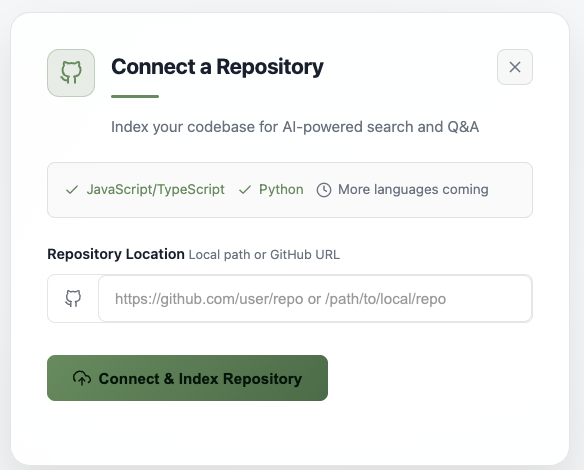
Click Add Repository and enter a GitHub URL or local path. biral currently supports JavaScript, TypeScript, and Python, with more languages coming soon.
- For public GitHub repos, just paste the URL and click Connect & Index Repository
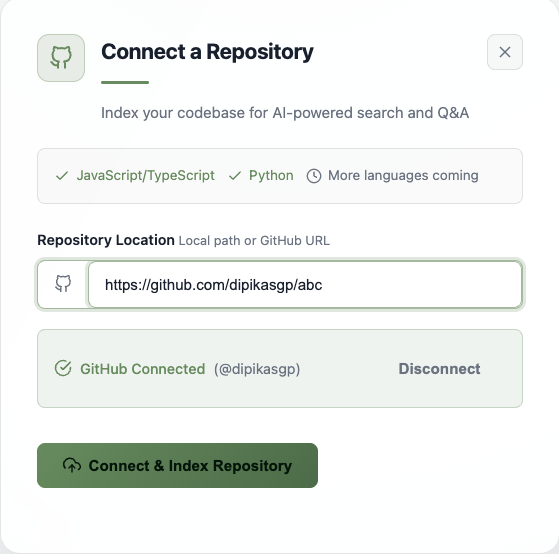
- For private GitHub repos, connect your GitHub account first — you'll see a GitHub Connected status once linked
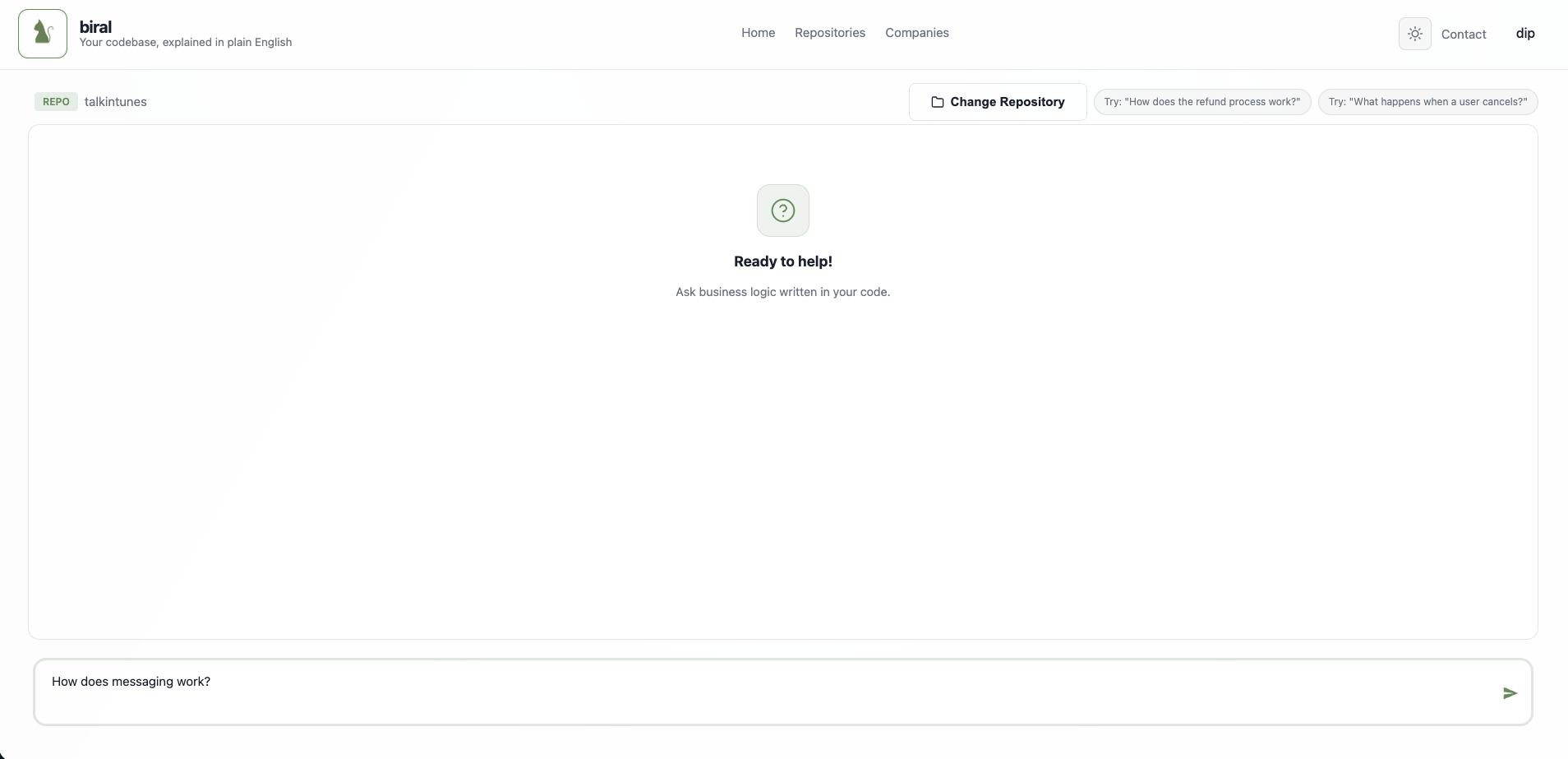
Once indexing is complete, select the repository to open the chat interface. Type any question about your codebase in the input box at the bottom.
- How does the refund process work?
- What happens when a user cancels?
- How does messaging work?
biral searches the indexed code and responds with an explanation grounded in the actual business logic, with references to the relevant source files.
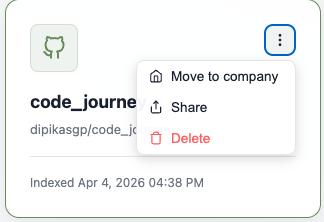
From the Repositories page, click the ••• menu on any repo card to:
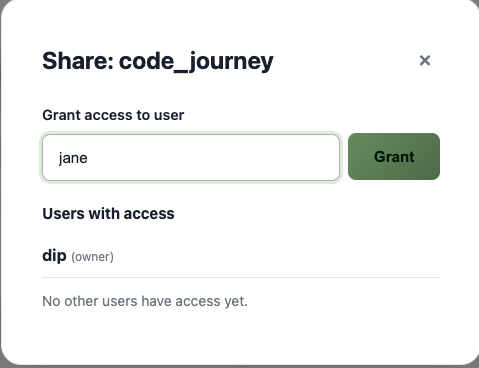
- Share — Grant access to other users by username
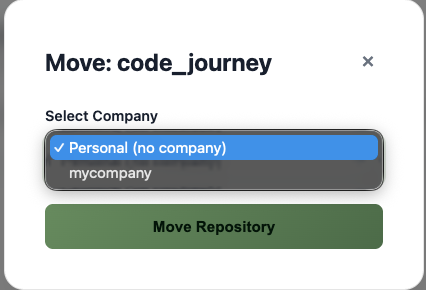
- Move to company — Assign the repo to a company for team-wide access
- Delete — Remove the repository and its index
Use Change Repository in the chat view to switch between repos without leaving the page.
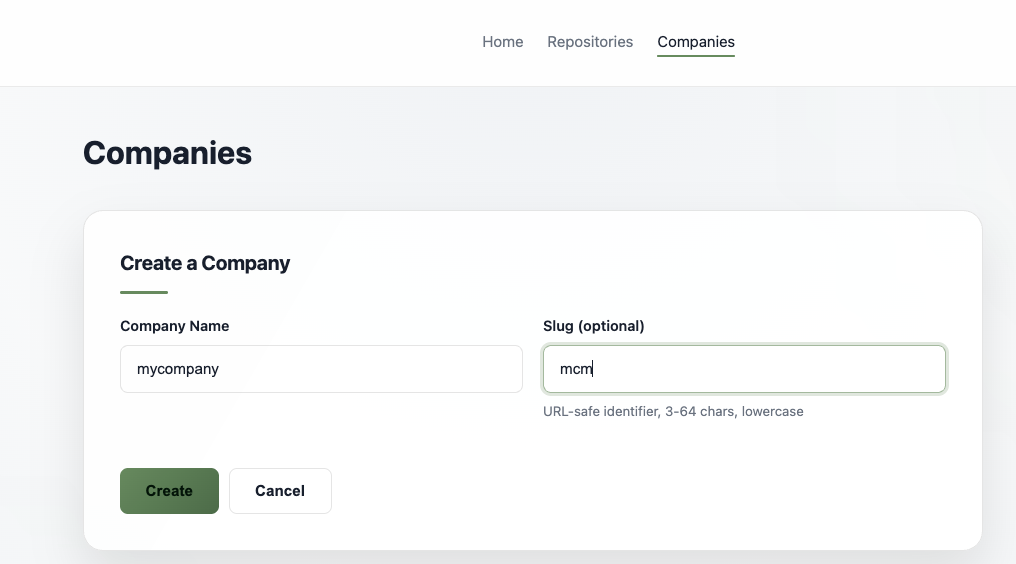
Go to the Companies page to create a company. Give it a name and an optional URL-safe slug.
- Add team members to the company
- Move repositories into the company so all members get access automatically
- Company admins can manage members, repos, and settings
Not ready to connect your own repo? Try one of the demo repositories available on the Repositories page — like Cal.com, Chatwoot, or Saleor E-commerce — to see biral in action.
Ready to get started?
Go to Repositories